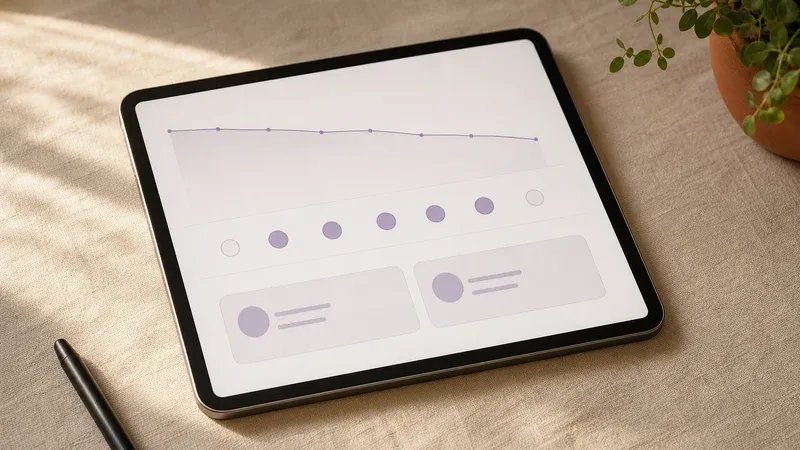
Tracking Progress Beyond the Session: Tools Clients Can Use at Home

Outline
The most useful progress often happens between appointments. A client who arrives able to say “my anxiety spiked Thursday right after a call with my manager, and I recognized the pattern” is working with evidence, not a general impression of a hard week.
Equipping clients with the right tools for tracking therapy progress between sessions reinforces therapy goals and builds self-awareness outside the session. Digital and analog tracking tools work best when the therapist can carry that progress into the next appointment.
Why tracking therapy progress between sessions matters
Most of the week happens outside the room. Progress tracking gives clients a concrete way to capture what is actually happening between appointments, not a retrospective blur on Friday.
Picture a midweek mood log: Thursday 2pm, anxiety hits 8/10 right after a call with a manager. Next session you open on that spike instead of “How was your week?” The client already named the trigger; you spend the hour on the pattern, the safety behavior that followed, and what to try before the next call. That is the clinical value of tracking therapy progress between sessions: a shared artifact you can both point at.
Home tools still work best when they stay light. Pair one short home signal with the standardized measures you already run in-session (PHQ-9 or GAD-7 on a fixed cadence) so the narrative log and the score sit in the same frame. Skip or pause home tracking when the client is in crisis, when severe avoidance makes any form another defeat, or when literacy, language, or device access makes the tool a barrier rather than a bridge.
Types of Tools Clients Can Use at Home
1. Mood and Emotion Trackers
These tools help clients log how they’re feeling at different points in the day or week. Over time, they reveal emotional patterns and triggers.
Examples:
- Apps: Daylio, Moodnotes, Bearable
- Paper-based: Printable mood logs with emotion wheels or color-coded tracking
For clients new to tracking, start with simple “How did I feel today?” prompts using emojis or a 1–10 scale.
2. Daily Journals or Reflection Logs
Encouraging clients to write a few lines daily can support emotional processing and cognitive restructuring. When the writing job is one feeling-need-guess stem rather than a daily log, use journaling for emotional intelligence.
Formats:
- Free-form journaling
- Prompt-based entries (e.g., “What’s one thing that challenged me today?” or “What did I do to care for myself?”)
- CBT-based thought records
Apps: Journey, Reflectly
The built-in journaling workflow lets clients journal safely, and optionally share their insights with their therapist in a secure format.
3. Habit and Behavior Trackers
These tools support clients working on behavioral goals such as sleep hygiene, exercise, social engagement, or reducing avoidance. When graded exposure is part of the plan, an exposure hierarchy worksheet keeps each rung, SUDS rating, safety behavior, and review point visible.
Examples:
- Apps: Habitica, Streaks, Done
- Analog: A weekly habit grid or sticker chart
Clients can set goals or habits directly in the same workspace and track them over time. As a therapist, you can view trends and reference them in your next session, no manual syncing needed.
4. Symptom or Trigger Logs
For clients managing specific diagnoses (e.g., PTSD, panic disorder, chronic pain), keeping track of symptoms and triggers can uncover important insights. If the treatment plan includes EMDR, a brief refresher on EMDR basics for therapists can help you keep SUD, VOC, closure, and between-session monitoring in the same clinical frame.
Features to look for:
- Timestamped logs
- Customizable symptom checklists
- Tagging triggers or situations
Apps: Bearable, Symple
Inside the platform, therapists can configure custom symptom logs or daily check-ins tailored to each client’s goals or diagnoses, with an easy-to-read history available at a glance.
Support your mental health practice with AI
Sign up for a free trial and see how between-session context reaches the next appointment.
Get Started5. Values and Gratitude Journals
For clients focusing on acceptance, meaning, or positive psychology frameworks, simple gratitude logs or value-aligned activity trackers can foster perspective and motivation. An ACT-aligned values clarification worksheet can help clients turn broad values into behavior they can review next session.
Prompts to try:
- “What did I do today that aligned with my values?”
- “What’s one thing I appreciated today?”
Emosapien’s Micro-Journals are short-form, low-effort journaling prompts that show up on clients’ phones or inboxes and take under 2 minutes to complete, which helps reduce journaling friction.
Tracking therapy progress between sessions with Emosapien
Many tools help clients track progress but they don’t always close the loop with the therapist. That’s where Emosapien stands out.
With Emosapien, you can:
- Assign prompts, reflections, or trackers to your clients
- Review journal entries or self-reported symptoms before sessions
- Set collaborative goals and track progress over time
- Centralize notes, tasks, and updates for each client
- Use AI to summarize patterns and identify missed opportunities
Before the client sits down, Emosapien surfaces the home signal beside the chart note: the Thursday 2pm spike, the skipped exposure rung, or the three-line journal entry from Tuesday. You open on that artifact instead of rebuilding the week from memory.
How to introduce tools without overwhelming clients
Tracking should feel helpful, not like homework. Homework quantity and quality both relate to CBT outcomes in meta-analytic work on homework compliance, so the ask has to fit the week the client actually lives. When home tasks stall, use strategies that improve therapy homework adherence through collaborative fit, barrier review, and a next-session reopen rather than a thicker tracker. A few practices that keep home tracking sustainable:
- Start small: One short prompt or habit tracker beats a full suite of tools on day one.
- Customize to the client: A tech-savvy young adult may prefer an app; another client may keep a paper grid in a bag.
- Collaborate on frequency: Daily is not always realistic. Two or three check-ins per week often hold better.
- Review in session: Spend 5–10 minutes on the tracking data together so the client sees it land in the work.
With a client engagement therapy workflow, you can adjust the cadence and format of progress tools to fit each client’s capacity.
What changes in the next session
Without a home signal, both of you rebuild the week from memory. With one short log, you open on a named moment: the manager call, the night sleep broke, the social event that was skipped. The hour moves from recap into formulation faster, and the client leaves knowing the midweek entry mattered.
That loop is the relationship work. Clients who feel between-session data gets used tend to keep tracking; clients who sense it disappears into a folder stop within a few weeks.
Keep the loop light
The format can be a mood log, journaling app, or paper habit grid, as long as it matches the client’s actual habits and the therapist reviews it. Routine outcome monitoring and client feedback improve treatment response when clinicians act on the signal, not when scores pile up unused. The platform surfaces that home data before each session so tracking therapy progress between sessions stays a clinical habit rather than an abandoned folder.
References
- Kazantzis, N., Whittington, C., Zelencich, L., Kyrios, M., Norton, P. J., and Hofmann, S. G. (2016). Quantity and quality of homework compliance: A meta-analysis of relations with outcome in cognitive behavior therapy. Behavior Therapy, 47(5), 755-772.
- Lambert, M. J., and Shimokawa, K. (2011). Collecting client feedback. Psychotherapy, 48(1), 72-79.
- American Psychological Association. Ethical Principles of Psychologists and Code of Conduct.
Related reading
Beyond Notes: How AI Co-Therapist Engagement Supports Continuous Care
Most therapy change happens between sessions. Here's how AI co-therapist engagement keeps that work visible without adding admin hours.
Read article →Between-Session Therapy Check-Ins That Leave the Next Session Ready
Run between-session therapy check-ins under five minutes with clear privacy boundaries so the next session opens from a week map, not a cold recap.
Read article →Get the therapist toolkit
Practical, plainspoken notes on AI for therapy practices. No spam, unsubscribe any time.