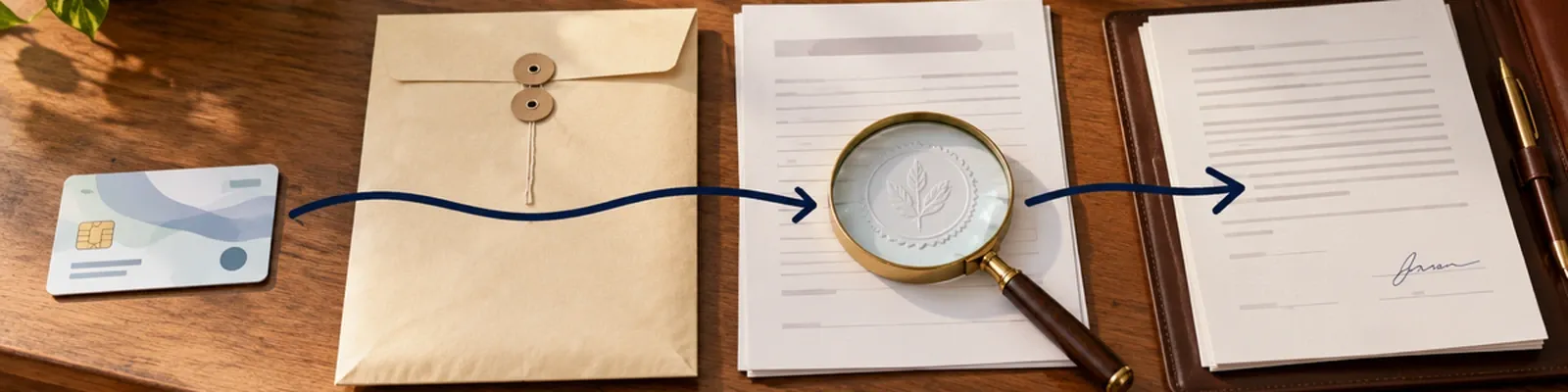
How to Get Credentialed With Insurance Companies as a Therapist

Outline
| Step | What you submit | Who reviews it | Typical wait | What to chase |
|---|---|---|---|---|
| 1. Prepare identifiers | Individual or organization NPI, taxonomy, license, practice details | NPPES and the payer intake team | CMS says the electronic NPI application takes about 20 minutes; the payer still needs time to ingest it | Confirm the NPI record and taxonomy match the application |
| 2. Complete CAQH | Provider Data Portal profile, requested documents, attestation | CAQH portal and the plans you authorize | CAQH says the initial profile may take up to two hours; preparation and work history can add time | Finish every required section and copy the next attestation date shown |
| 3. File the payer application | Payer form, CAQH authorization, disclosures, contract documents requested | Payer enrollment or credentialing team | The payer sets the timeline; ask for a reference number and target decision date | Ask whether the application is complete and whether the plan is accepting your specialty and area |
| 4. Primary-source verification | Permission for the payer to verify education, license, training, liability coverage, and other listed facts | Payer credentialing staff and original sources | CAQH’s VeriFide fact sheet says 95% of initial provider files are returned within 11–14 days for that service; this is not a universal payer review time | Ask which source or document is still open and whether you must contact the source |
| 5. Contract and effective date | Signed participation agreement and fee schedule | Payer contracting team, then its system | UnitedHealthcare says its process generally takes up to 45 calendar days or more after a complete application | Copy the agreement date, fee-schedule version, and effective date before scheduling as in-network |
The waits above are examples from named sources, not universal deadlines. A payer’s current portal, letter, or provider-services reply controls the next date you record.
Getting credentialed with insurance companies is a sequence of handoffs, not one form. You prepare the identifiers and documents, make your profile available to the plan, complete the plan’s own application, answer verification questions, sign the agreement, and wait for the effective date the plan assigns.
If you are asking how to get credentialed with insurance companies, use the roadmap above as your order of operations and keep one follow-up record per payer.
Keep credentialing separate from billing. Credentialing answers whether the plan has accepted you as a participating provider. Billing begins with eligibility, authorization, claims, remits, and denials after you know which services and dates the agreement covers. Use the insurance credentialing checklist for therapists for the documents and follow-up lines you will maintain. Then use the insurance billing guide for therapy for the post-contract workflow. If you are still setting up the entity and practice, start with how to start a therapy private practice.
Before you apply to a payer
The first part of how to get credentialed with insurance companies is choosing the right payer packet, not opening every portal at once.
Choose the plans you actually want to join and check whether each plan is accepting new clinicians in your specialty, location, and product line. A complete application can still be closed if the plan is not recruiting for your area. Ask the plan which application route it uses, whether it requires CAQH authorization, and which documents must be current on the submission date.
Create one restricted folder for credentialing. Keep the current versions of:
- your individual NPI and, if applicable, the practice organization’s NPI;
- the taxonomy code you selected for the NPI record;
- state license and renewal details;
- professional liability certificate and policy dates;
- current CV with month and year for education and work history;
- practice locations, mailing address, service address, and contact details;
- disclosure answers and explanations the payer requests; and
- the name, phone number, portal reference, and next follow-up date for each plan.
Do not copy a document list from one plan into every other application. The payer’s current instructions decide what belongs in that packet.
Get the NPI and taxonomy details aligned
CMS says a covered health care provider may apply for an NPI through the web-based NPPES process, an electronic file interchange organization, or a paper application. CMS describes the electronic application as the fastest route and says the process takes about 20 minutes in its training material. Use the NPPES application route and save the resulting record for your payer packet.
An individual clinician generally uses a Type 1 NPI. A group or other organization uses a Type 2 NPI. Confirm which entity the payer is asking for before you apply. 45 CFR § 162.412 says a health plan may not require a provider who has already been assigned an NPI to obtain an additional NPI, subject to the rule’s treatment of subparts. If a form appears to ask for a second number, ask which provider or subpart the field represents.
Select the taxonomy code that matches your education and training. The National Uniform Claim Committee taxonomy guidance says taxonomy codes are self-selected, describe an area of specialty rather than services rendered, and do not define the scope of a license. Keep the same code on the NPI record, CAQH profile, and payer application unless the payer gives you a specific reason to update it.
Complete the CAQH Provider Data Portal profile
CAQH ProView is now referred to in current materials as the CAQH Provider Data Portal. The CAQH provider user guide describes the portal as a place to self-report provider and practice information to payers and says it is free to use. Its high-level sequence is to register, complete the application questions, review the profile, authorize selected organizations, and attest.
Prepare before opening the profile. Have your license, liability policy, work history, education and training dates, practice locations, professional references, and disclosure information available. The portal may ask for more than one location or an explanation for a gap. Enter dates consistently across your CV, CAQH profile, and payer form. A mismatch creates a follow-up task during verification.
After the profile is complete:
- Review every section for the name, address, dates, license number, taxonomy, and disclosures.
- Upload the documents the portal requests and confirm that each file is readable.
- Authorize the specific plans that should receive the information.
- Attest and copy the next due date the portal displays.
- Save the CAQH ID and the date you authorized each plan.
Authorization lets a selected plan receive your profile. It does not mean the plan has accepted you, offered a contract, or assigned an effective date.
Submit the payer application
For the payer-specific part of how to get credentialed with insurance companies, treat the application receipt as a checkpoint, not an approval.
A plan may require its own application even when it reads CAQH. Submit the payer form through the route it names, then ask provider services to confirm that the packet is complete. Save the confirmation number, the date submitted, the name or team that confirmed receipt, and the plan’s stated next step.
Use a short message that asks for a status you can act on:
If the plan says a document is missing, ask whether it needs a new upload, a direct source response, or a correction to the application. Send the requested item through the payer’s secure channel and record the upload date. Do not send a patient record or other unnecessary protected health information to prove a provider credential.
Track primary-source verification
Primary-source verification means the payer checks a credential against the original issuing source or another accepted source. CAQH’s VeriFide fact sheet says 95% of initial provider files are returned within 11 to 14 days for that service. That figure is a CAQH service statement, not a universal payer decision time.
Ask the payer which item is open rather than asking only whether the application is “in process.” The open item might be a state license response, education record, work-history clarification, liability certificate, sanctions check, or disclosure explanation. If the payer says it is waiting on an original source, ask whether you may contact that source or upload a current document. Keep the payer’s instruction and your contact date in the log.
A verification delay is not a reason to create a new NPI or a second CAQH profile. Correct the source mismatch, renew the expired document, or answer the question the payer actually asked.
Review the contract before you rely on the date
Credentialing approval is not the same as a participation agreement. A plan may approve the credentialing file and still require a contract, fee schedule, or additional enrollment step. UnitedHealthcare’s join-the-network guidance says its process generally takes up to 45 calendar days or more after a complete application and all required information.
When the agreement arrives, copy these fields before you schedule or advertise as in-network:
| Contract field | What to record | Why it matters |
|---|---|---|
| Agreement date | Date printed on the participation agreement | Identifies the version you accepted |
| Fee schedule | Attachment name or version and the services listed | The agreement may incorporate a separate schedule |
| Effective date | Date the plan says participation begins | Do not infer this from the welcome email or portal login |
| Practice and tax details | Rendering clinician, group or entity, locations, and tax identifier | A contract can cover one entity or location but not another |
| Network or product line | The exact product or network named | Participation in one product does not automatically establish every product |
If the effective-date line is blank, ask the plan in writing which date of service the agreement covers. Keep the question, reply, and final agreement together. Do not tell a client that a visit is in-network based only on an application receipt or a contract sent for review.
Use a follow-up cadence you can prove
The final part of how to get credentialed with insurance companies is a dated record that shows what the payer said and what you will do next.
The payer’s stated timeline is the starting point. Set the next check for the date the payer gives you. If it gives no date, choose a reasonable internal reminder, record that it is your reminder rather than a payer deadline, and ask for the payer’s target date on the next contact.
Escalate a stalled file with the reference number and a concise question: “What specific item prevents this application from moving to the next stage?” If the answer changes, write the new status exactly as the plan gave it to you. If a plan closes the application, ask whether it can reopen the file or whether you must submit a new application. Do not assume that a new application preserves the old submission date.
A final check before you call yourself in-network
You are ready to move into the billing workflow when you can point to all of these:
- NPI and taxonomy match the entity and specialty named in the application.
- CAQH profile is complete, attested, and authorized for the plan.
- Payer application is confirmed complete, with a reference number.
- Primary-source verification questions are closed or answered in writing.
- Participation agreement and fee schedule are saved.
- Effective date is written on the agreement or confirmed by the plan in writing.
- Practice location, entity, network, and product line match the contract.
A portal login, credentialing approval, or welcome email is not a substitute for the agreement and effective date. Once the date is clear, use the insurance billing guide for therapy to organize eligibility, claims, remits, denials, and client-balance questions.
Prepare for credentialing
Get certificate-prep help, relevant materials, and a free account.
Start preparing →- Free plan
- No credit card
Prep checklist
Certificate materials are ready for your next credentialing step.
Prep materials
Get help preparing for your certificate with relevant materials in a free account.
References
-
Centers for Medicare & Medicaid Services. Unique Identifiers FAQs.
-
45 CFR § 162.412, Health plans.
-
National Uniform Claim Committee. Health Care Provider Taxonomy.
-
Council for Affordable Quality Healthcare. CAQH Provider Data Portal Provider User Guide.
-
Council for Affordable Quality Healthcare. VeriFide fact sheet.
-
Council for Affordable Quality Healthcare. Provider credentialing explained.
-
UnitedHealthcare. Join our network: Medical providers.
Educational guidance for licensed US mental-health clinicians. Payer participation rules, portal screens, document requirements, contracts, and effective dates vary and change. Confirm the current payer instructions and agreement before you schedule or bill as in-network. This page is not legal, licensure, billing, or reimbursement advice.