Free Group Therapy Notes Software for Therapists
Build one shared group session frame plus member-specific notes in your browser. Review, print, or export without an account. The clinician still owns the signed record.
Interactive builder
Build the shared frame, then each member note
This free group notes generator stays in your browser. Use initials or other non-identifying labels. Edit before you print or export. It does not create a signed chart entry and does not submit note content from this page.
1. Shared session frame
2. Member-specific notes
Use initials or a non-identifying label. Skip diagnoses and unnecessary identifiers on this public page.
Live preview
Export readyGROUP THERAPY SESSION NOTE
Enable JavaScript to build a shared frame and member blocks, then copy, print, or export. Clinician review required before any signed chart entry.
What is free on this page
Group therapy notes software you can use before signup
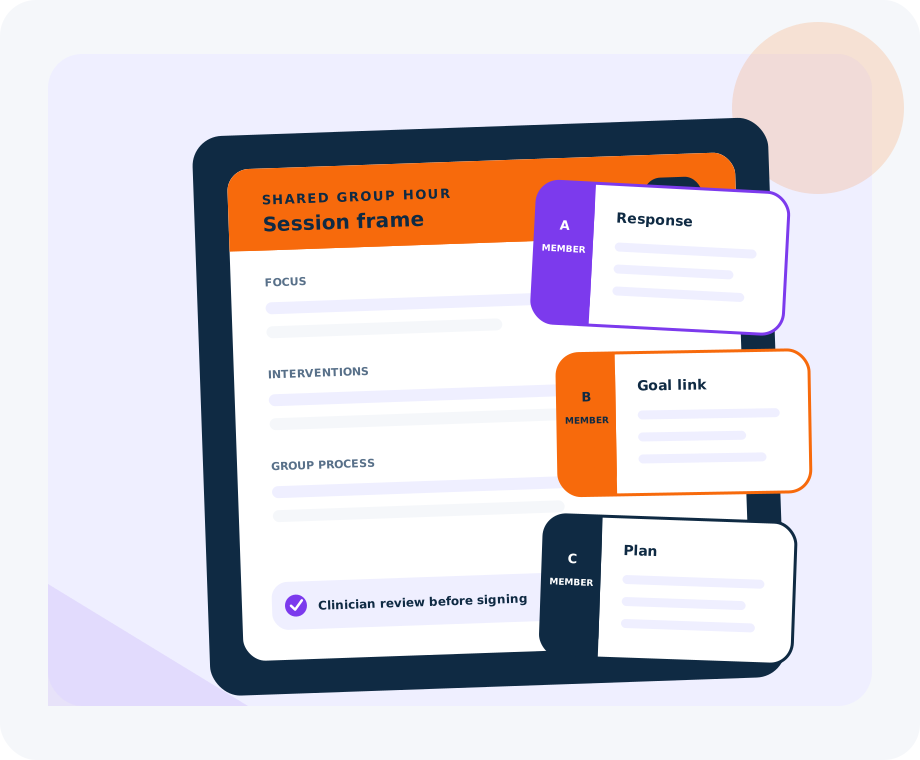
Most group write-ups stall when one generic paragraph is copied into every member chart. You get one shared-hour frame plus member-specific response and plan blocks to edit and export.
For broader clinical navigation, start with group therapy resources. For adjacent individual-note drafting after signup, see the free AI progress note generator.
- ✓ Shared session frame for date, duration, group type, focus, interventions, and process
- ✓ Repeatable member cards with initials only, participation, response, goal link, risk, and plan
- ✓ Live editable preview before any action
- ✓ Copy, print, and text export in the browser
- ✓ No account required to build and export a record on this page
- ✓ Optional free Emosapien account for AI clinical notes after you leave this page
How it works
Three steps from group hour to usable record
Add the shared session context
Enter date, duration, group type or theme, facilitator role, attendance, clinical focus, interventions, and process notes. That becomes the shared frame for the hour.
Add member-specific observations
Create a card per participant with initials or another non-identifying label. Capture participation, clinical response, goal relevance, risk change when relevant, and the plan for that person.
Review, print, or export
Edit the live draft, then copy, print, or download the full record. Keep the chart in your approved system. The clinician still owns the signed note.
Why the record is split
Shared frame. Person-level care
Group psychotherapy is one clinical hour with many charts. Keep what the room shared in one place, then document each member response and plan without flattening everyone into the same paragraph.
Shared group frame
What the whole room did together: theme, therapist interventions, and group process. One frame keeps the cohort session coherent without pasting the same paragraph into every chart.
Member-specific response
How each person engaged, what shifted for them, and how the hour linked to their treatment goals. Individual records stay distinct even when the intervention was shared.
Member-specific plan
Homework, next-session focus, coordination, and risk follow-up for that person. Group care still ends in person-level next steps.
Clinician review gate
The builder structures a draft only. You correct language, confirm risk, and sign according to license, payer rules, and clinic policy before the note becomes the record.
Boundaries
What this free tool does not decide
Structure is useful. Overclaiming is not. Keep clinical judgment, coding, and chart custody with the practice.
Clinical completeness
The page does not decide whether the note is finished, defensible, or ready to sign. You do.
Diagnosis and risk action
It does not diagnose, score risk, or choose crisis steps. Use your assessment process and local protocol.
Coding and payer rules
It does not assign CPT codes, prove medical necessity, or guarantee reimbursement. Coding stays with your billing workflow.
Need documentation context for group psychotherapy coding without a payment promise? Read 90853 group psychotherapy documentation.
Structure the group hour here. Carry the wider chart in Emosapien
This page is a manual, browser-local group notes builder. It does not replace your EHR, and it does not auto-sign notes. When you want AI-assisted drafting after the free tool, Emosapien supports the broader session-to-note workflow with clinician review on every note.
Start free with 10 AI-generated sessions per month and no credit card. Professional and Enterprise add BAA coverage, higher volume, and practice controls. Learn more about AI clinical notes for therapists, then start free when you are ready.
Frequently asked questions
Yes. You can build a shared session frame plus member-specific notes, then copy, print, or export in the browser with no account and no credit card on this page. If you later want Emosapien for AI clinical notes, the free plan is also permanent and requires no card.
No. This group therapy notes software keeps one shared session frame for the cohort hour and a separate member block for each participant. Shared process can stay common; response, goal link, risk, and plan stay person-level.
Participation in the group task, clinical response to the intervention, how the hour connects to that person's treatment goals, any risk change that belongs in the chart, and a concrete plan. Avoid pasting the same generic paragraph into every member record.
Yes. Print opens a browser print path with the full shared frame and every remaining member block. Export downloads a text file with the latest edits. Copy is available when you want to paste into an EHR template.
No. The builder runs locally in your browser for preview and export. It does not submit note content to Emosapien from this public page. Prefer initials or other non-identifying labels, and keep signed PHI in your approved chart system.
No. The tool structures a draft only. The clinician reviews, corrects, signs, and remains responsible for the final clinical record under license, payer rules, and clinic policy.
No. This page does not code claims, prove medical necessity, or guarantee payment. For documentation context only, see 90853 group psychotherapy documentation. Your billing workflow owns coding decisions.
No. This page is a browser structure builder, not an AI note generator. When you want AI-assisted drafting after signup, use Emosapien AI clinical notes and keep clinician review in charge of every signed note.
Build the group record, then keep documentation moving
Use the free builder above, then start free with Emosapien for AI clinical notes with clinician review.