Session load
Weekly completed sessions set the scale. More billable sessions mean documentation time compounds faster across the week.
Enter your session load, note minutes, admin hours, and tool cost. This therapy ROI calculator shows recovered time and administrative value before you change a workflow.
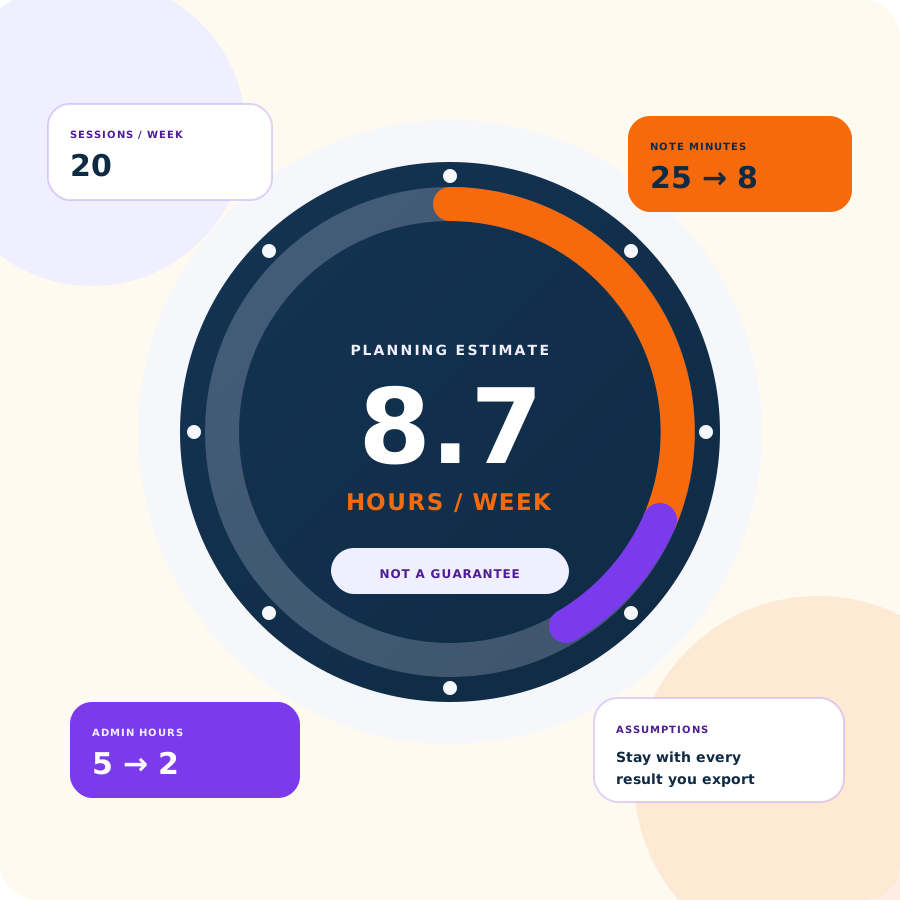
What is free on this page
The tool stays in the browser. You supply the practice numbers. The page multiplies the gaps you enter and shows hours and dollars with the assumptions still attached.
For a narrative view of how one solo practice recovered documentation time, read the solo private practice case study. To compare plan cost against the tool-cost field below, open Emosapien pricing.
Calculator inputs
Keep every field tied to work your practice actually does. Vague averages produce vague results.
Weekly completed sessions set the scale. More billable sessions mean documentation time compounds faster across the week.
Compare minutes spent on progress notes today with the minutes you expect after a tighter documentation workflow.
Capture non-note admin such as intake follow-up, chart cleanup, and after-hours coordination that still steals clinician time.
Your effective hourly rate turns recovered hours into dollars. Monthly software cost shows net value after the tool expense.
How it works
No account sits between you and the numbers. The calculator updates as you type, then exports the same labeled assumptions you just entered.
Sessions per week, current and improved note minutes, admin hours, hourly value, tool cost, and weeks worked per year.
Results update hours recovered, annual value, net value after tool cost, and a simple payback window.
Take the labeled assumptions with you into a planning conversation, partner review, or budget note. Nothing on this page is stored as a chart record.
Interactive calculator
Fill in the eight fields below. Results update live as you type — there is nothing to submit, though you can press Calculate to jump straight to your numbers. The therapy ROI calculator keeps formulas under the results so every number stays inspectable. Estimates are not guaranteed clinical or financial outcomes.
Default tool cost mirrors the Professional list price on pricing. Set it to 0 for a free-tier scenario, or to any other vendor amount you are evaluating.
Hours recovered / week
0
Hours recovered / year
0
Gross value / year
$0
Net value / year
$0
Note hours saved / week
0
Admin hours saved / week
0
Annual tool cost
$0
Payback window
N/A
How to interpret estimates
A strong estimate still needs clinical and operational judgment. Use the output to frame a decision, not to replace one.
The model multiplies the gaps you enter. It does not audit your chart, forecast payer rates, or guarantee clinical or financial outcomes.
Every export includes the inputs you chose. If a partner challenges the number, they can see which sessions, minutes, and rates produced it.
Recovered hours can mean fewer evenings on notes, room for one more client, or less burnout pressure. Dollar value is one lens, not the only decision factor.
Gross recovered value alone overstates the case. Subtract annual software cost so the estimate matches a real purchase conversation.
Next workflow step
When the estimate shows real time on the table, pair documentation relief with the rest of the clinical week. Emosapien drafts session notes, keeps treatment-plan continuity, and supports between-session engagement so admin work does not creep back in.
Start on the free plan with no credit card, or review seat pricing first. Browse other free browser tools on the therapist tools hub.
What stays true
It estimates recovered documentation and admin time from the practice numbers you enter, then converts those hours into dollar value using your hourly rate and monthly tool cost. It is a planning tool, not a finance audit or clinical outcome score.
Yes. Run estimates, copy the summary, and print or export in the browser with no account and no credit card on this page. If you later want Emosapien for AI progress notes, the free plan is also permanent and requires no card; client engagement runs on Professional plans.
Licensed mental health clinicians and practice owners comparing documentation workflows, software spend, or after-hours admin load. It is built for talk-therapy practices, not hospitals or generic medical groups.
No. Results only reflect the inputs and formulas shown on the page. Real practices vary by caseload mix, note standards, payer rules, and how consistently a workflow sticks. Label every number as an estimate before you share it.
Use your effective clinical hourly value, not a wish-list rate. Many solos start from average session fee divided by hours actually worked, including unpaid admin. The calculator does not invent a rate for you.
Intake follow-up, insurance or portal cleanup, rescheduling, chart prep, and other non-session tasks that sit outside the note itself. Leave pure clinical thinking time out if it is not work you expect software to shrink.
Yes. Copy the summary to your clipboard, open a print-ready page, or download a text export. Every path keeps the labeled assumptions with the totals so the estimate stays auditable.
This page is a free browser calculator. Emosapien is separate software for session notes, treatment-plan continuity, and client engagement. Use the calculator to model time first, then compare plans on the pricing page if a paid workflow is next.
Export your estimate, then start an Emosapien free plan when you are ready to cut note time in real sessions.