Scribe AI French: Canadian French Note-Output Checks for Therapists

Outline
Scroll the table sideways to view every column
| Tool | French session input stated | French note output stated | Canadian French check |
|---|---|---|---|
| Upheal | French is listed among session languages. | French and French (Canada) are listed for notes, treatment plans, and other documentation. | Select French (Canada), then compare the draft with the fictional script. |
| Nabla | French is listed as a main and secondary encounter language. | Generated notes can be in French when the interface language is French. | We could not find a Canadian French variant stated on the settings page. |
| Jane AI Scribe | English transcription is the only officially supported language. | Its changelog documents French note writing when the session-language prompt is configured. | French note writing does not establish Canadian-French validation. |
| Emosapien | See the product disclosure below. | See the product disclosure below. | Review the regional-term workflow below. |
Vendor facts in the table were checked on public pages in November 2026. The table compares published language statements, not accuracy or Canadian-French clinical validation. Upheal language-support page; Nabla Settings help page; and Jane AI Scribe language guide. Fictional names and practice.
The full pack adds a Canadian-French output and regional-terminology acceptance worksheet, a correction log, and a sign-off record for the clinician who reviews the final note.
Separate French capture from the chart you need
A scribe ai french decision begins with the record you must sign, not with a language badge. A tool may recognize spoken French, create an English default note, offer French output without a Canadian variant, or document only English support. Put those possibilities on separate lines before you compare tools.
- Session input: What does the vendor explicitly state about spoken French?
- Note output: What language can the clinician select for the note, treatment plan, or related documentation?
- Regional variant: Does the published setting name French (Canada), generic French, or neither?
- Mixed-language session: Does the vendor state what happens when French and English appear in the same encounter?
- Review: Can the bilingual clinician who signs the chart inspect names, accents, regional terms, negation, and clinical meaning?
The fifth question is not a software setting. When the clinician and client do not share a language, book a qualified interpreter for the conversation; Emosapien handles the note.
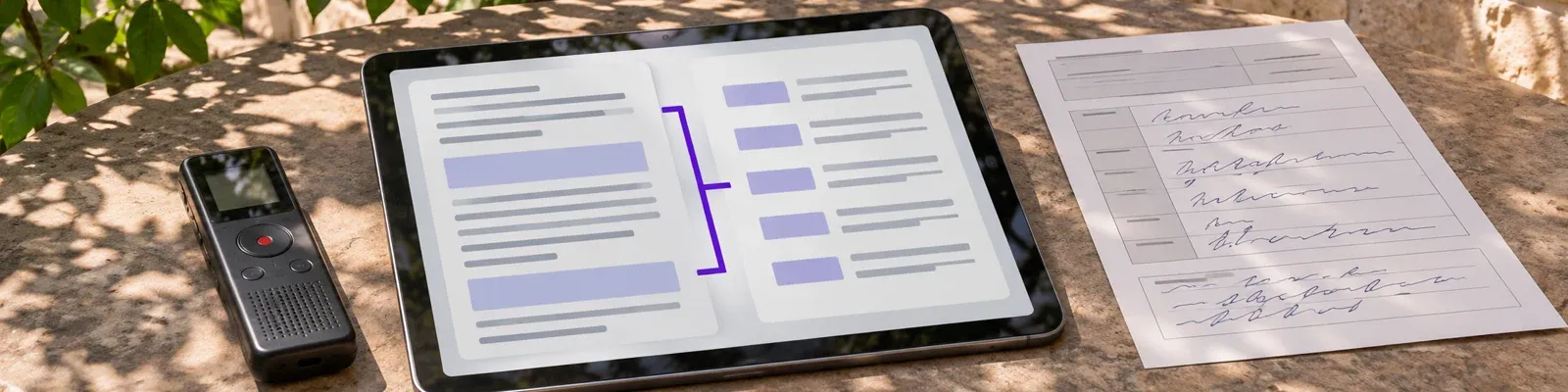
Run the fictional script from the preview in every trial. Enter the same names, accent marks, negation, tentative plan, and regional wording each time. Compare the transcript and draft with the source. Do not score pronunciation, dialect accuracy, or a clinical conclusion that the script did not state. The test is whether the clinician can identify the material edits needed before signing. That is the scribe ai french check that matters for a Canadian French chart.
Check Canadian French note output
Use the worksheet this week to compare a fictional script, its draft, and the bilingual review you need before choosing a configuration.
- Spanish-English Scribe Acceptance-Test Worksheet for mixed-language capture, note-output, and correction checks
- Multilingual Scribe Configuration and Test Worksheet for separate input, output, and mixed-session settings
- English-Record and Multi-Speaker Acceptance Worksheet for bilingual review, speaker attribution, and stop rules
- French, right-to-left script, and Accurx deployment acceptance sheets with a sources and recheck record
Free. We'll email the PDF link right away and add you to the therapist toolkit, sent every two weeks. Unsubscribe any time.
Where should we send the link?
We'll email the PDF link right away. You'll also get the therapist toolkit every two weeks. Unsubscribe any time.
✓ Check your inbox
We've sent you the PDF
The download link is on its way to your inbox, usually within a minute or two. The email will come from Emosapien (hello@team.emosapien.com); check your spam folder if you don't see it.
You're also on the therapist toolkit list, sent every two weeks. Unsubscribe any time from the email footer.
Read the public statements narrowly
Upheal’s language-support page lists French among session languages. It lists French and French (Canada) as note-language choices for notes, treatment plans, and other documentation. The same page says generated notes default to English until an administrator changes the practice setting. It also says English and Spanish are the only languages it currently states can be mixed in one session. That public statement does not establish French-English mixed-language handling, translated client surfaces, or Canadian-French clinical validation.
Nabla’s Settings help page lists French as an interface and note language and lists French among the main and secondary encounter-language options. It says generated notes are in English or French, depending on the interface language. We could not find a Canadian French variant stated on that page checked in November 2026. The page’s patient-instruction translation setting is not qualified interpretation and should not be treated as such.
Jane’s AI Scribe guide says English is the only language officially supported for transcription. It says a practitioner may adjust a prompt for another language, but accuracy is not guaranteed outside English and the practitioner must carefully review the output. Separately, Jane’s changelog documents French note writing when the session-language prompt is configured. Neither statement establishes Canadian-French validation. Keep that AI Scribe question separate from a French client-app or intake workflow.
For a focused look at those client-facing decisions, use the Jane App French checklist. For the clinical conversation itself, use the separate code-switching in therapy guide.
Emosapien is built for therapy documentation: the clinician sets the session language, and transcription and the AI-drafted therapy note follow it. It supports 63 session languages: Afrikaans, Arabic, Armenian, Assamese, Belarusian, Bengali, Bosnian, Bulgarian, Cantonese, Catalan, Chinese, Croatian, Czech, Danish, Dutch, English, Estonian, Farsi (Persian), Finnish, French, Galician, Georgian, German, Greek, Gujarati, Hebrew, Hindi, Hungarian, Indonesian, Italian, Japanese, Kannada, Kazakh, Korean, Latvian, Lithuanian, Macedonian, Malay, Marathi, Mongolian, Nepali, Norwegian, Pashto, Polish, Portuguese, Punjabi, Romanian, Russian, Serbian, Slovak, Slovenian, Spanish, Swedish, Tagalog, Tamil, Telugu, Thai, Turkish, Ukrainian, Urdu, Vietnamese, Xhosa, Zulu. French, including Canada, can be selected as the session language, and mixed-language sessions are supported for French. Arabic, Farsi (Persian), Hebrew, Urdu, and Pashto are available as directly selected single session languages rather than mixed-language sessions. The transcript can be viewed in another language, and a note can be generated and signed in another language; the clinician reviews and signs every note. The interface and client app are in English.
For a therapist who works with non-English-speaking clients and can review the clinical record, Emosapien keeps the documentation workflow in the language chosen for the session and lets the clinician produce and sign the note in another language when needed. That makes it a strong fit when the practice needs a therapy-specific draft plus clinician-led language review, rather than a generic language badge.
When the question is how the draft enters the record, see how notes are drafted and reviewed. The clinician still checks the session meaning and signs the final note.
Keep an acceptance record with the decision
A Canadian-French trial is easier to revisit when the practice keeps the source script and the review decision together. Your scribe ai french record is an operational record for a fictional test, not a clinical record and not legal, licensing, privacy, or insurance advice.
Keep the vendor language page, plan terms, fictional script, unedited draft, and correction log only in the evaluation location your practice approves. For an identifiable session, follow your practice’s consent, recording, access, and retention policies. Repeat the test when the vendor changes a language statement, your note setting changes, or your practice adopts different Canadian French terminology.
The rule is compact: select the output language you need, test the configuration you would buy, and have the clinician who signs the chart review the French that reaches the chart. A language list can start the comparison. It cannot make the decision for your practice.
For the general documentation category after the language test, see the AI clinical notes overview. Keep the Canadian-French review test attached to the actual configuration you evaluate.
Document therapy in your shared language
When you share a language with your client, set it for the session and review the draft before signing. Emosapien supports French, Spanish, Tagalog, and 60 other session languages.
Do therapy in your shared language
Set French, Spanish, or Tagalog for the session. Emosapien drafts the note for you to review and sign.
Start free in French- Free plan
- No credit card
Session detail
The client named one small step before Friday.
Draft for review
French session note ready for clinician review.
References
- Upheal. Which languages does Upheal support? Public support page checked November 2026.
- Nabla. Settings. Public help page checked November 2026.
- Jane. What languages does AI Scribe support? Public guide checked November 2026.
- Jane. Jane’s changelog. Public guide checked November 2026.
- Code-switching in therapy. Emosapien resource guide.
Related reading
Abridge AI Spanish: English Notes and Speaker Checks
Use a fictional multi-speaker script and bilingual review to check Spanish-language documentation before relying on an English clinical note.
Read article →Best AI Scribe for Psychiatry: Meds, Risk, and the Trial
Score the best AI scribe for psychiatry on medication notes, mental status, EHR fit, consent, a BAA, and price before you trial.
Read article →Free PDF: AI Scribe Language Acceptance Test
A printable eight-page test pack for clinicians to document language settings, fictional-session findings, bilingual review, and a narrow scribe decision before client records are involved.
- Spanish-English Scribe Acceptance-Test Worksheet for mixed-language capture, note-output, and correction checks
- Multilingual Scribe Configuration and Test Worksheet for separate input, output, and mixed-session settings
- English-Record and Multi-Speaker Acceptance Worksheet for bilingual review, speaker attribution, and stop rules
- French, right-to-left script, and Accurx deployment acceptance sheets with a sources and recheck record
Free. We'll email the PDF link right away and add you to the therapist toolkit, sent every two weeks. Unsubscribe any time.
Where should we send the link?
We'll email the PDF link right away. You'll also get the therapist toolkit every two weeks. Unsubscribe any time.
✓ Check your inbox
We've sent you the PDF
The download link is on its way to your inbox, usually within a minute or two. The email will come from Emosapien (hello@team.emosapien.com); check your spam folder if you don't see it.
You're also on the therapist toolkit list, sent every two weeks. Unsubscribe any time from the email footer.