AI Scribe Consent Form in Australia: When the Tool Changes

Outline
AI scribe consent form: a worked example in Australia
Your fictional client Alex agreed to Tool A for session notes on 12 March. You now propose Tool B for the same purpose. Check the proposed use before the next session.
| Question | Previous use: Tool A | Proposed use: Tool B |
|---|---|---|
| Purpose and decision | Notes; agreed 12 March | Notes; new decision needed |
| Audio path | Captured during session; sent to Tool A | Not yet verified |
| Transcript path | Generated by Tool A for drafting | Not yet verified |
| Note path | Draft reviewed and saved by psychologist | Not yet verified |
| Storage and access | Tool A stores data; psychologist has access | Not yet verified |
| Retention | Audio deleted after 30 days; note kept in clinical record | Not yet verified |
| Risks and safeguards | Provider access risk; restricted account access | Not yet verified |
Record a changed scribe choice
Use the printable this week to compare the proposed use and record your client’s decision.
- Client Recorder Request and Response Card and Scribe Feature Change: Intended-Use Comparison
- Changed Scribe: Australian Choice Preparation Sheet for planning the discussion and separate signed record
- England Scribe Error Trace and Follow-Up Sheet and Ontario RP AI-Assistance Attribution Card
- NZ Ambient Note: Observation Add-Back Card
Free. We'll email the PDF link right away and add you to the therapist toolkit, sent every two weeks. Unsubscribe any time.
Where should we send the link?
We'll email the PDF link right away. You'll also get the therapist toolkit every two weeks. Unsubscribe any time.
✓ Check your inbox
We've sent you the PDF
The download link is on its way to your inbox, usually within a minute or two. The email will come from Emosapien (hello@team.emosapien.com); check your spam folder if you don't see it.
You're also on the therapist toolkit list, sent every two weeks. Unsubscribe any time from the email footer.
Decide whether the changed use is ready
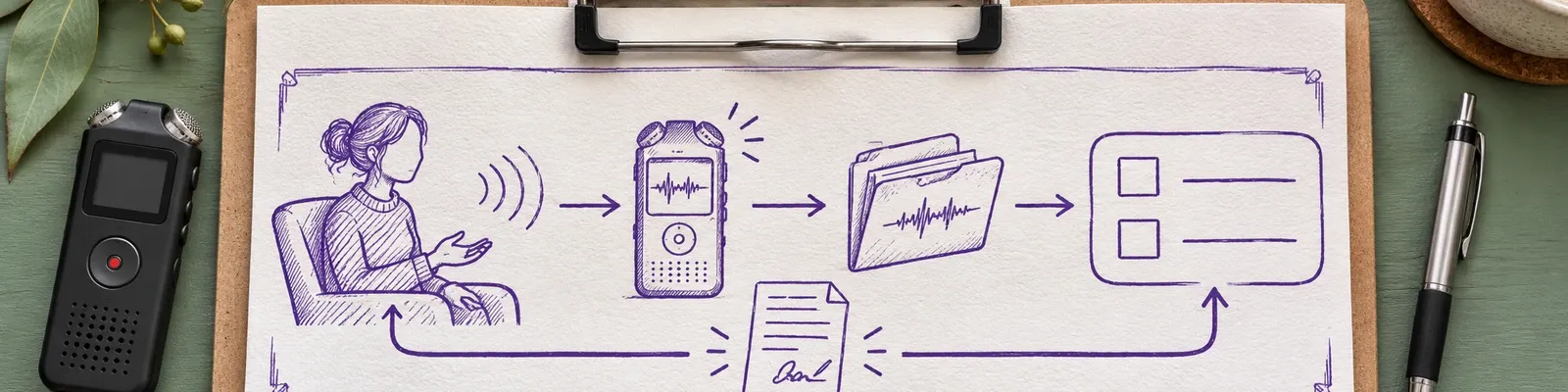
An AI scribe consent form for a changed tool should explain the specific change, not simply ask for a fresh generic intake signature. Your client already made one decision about Tool A. You need to understand whether the proposed Tool B introduces a different path for session information, and then give the client an intelligible choice about that use.
The Australian Psychological Society’s explanation of its AI practice guidelines, checked November 2026, describes written informed consent specific to each tool for the uses it identifies, including uses involving client data or contributing to records. It calls for explanations of the information used, storage, access, privacy risks, safeguards and withdrawal, and for revisiting consent as circumstances change. This is professional guidance for psychologists, not a statutory Australian form or a rule for every profession or state.
1. Reconstruct the earlier decision
Find the name and version of the earlier tool, its purpose, the date of the decision and the information your client was told would be processed. Check the actual settings and the record of the discussion, not just the brand name on an old form. If the original documentation does not say where a transcript went or who could access it, mark that answer as unknown.
Your comparison is a record of what you know, not a reconstruction you can complete from memory. Ask your practice’s privacy lead to help locate the terms and settings that applied. Do not suggest the client agreed to a proposed process merely because it has the same goal of drafting notes.
Where the earlier discussion covered only part of the workflow, note the missing detail and the person responsible for checking it. Give yourself enough time to resolve that uncertainty before asking the client to choose. Keep the earlier consent record with the specific version and settings used for that decision.
For a documentation workflow to consider alongside that decision, see how Emosapien works.
2. Map the proposed path
Ask the proposed vendor for written, current evidence covering audio, transcripts and notes separately. Identify the point of capture, processing and storage, the people or service providers who can access each form of data, and the retention and deletion arrangements, including any relevant backups. Ask whether information is used to train models and which safeguards apply to the configuration you intend to use.
For each answer, write the source, date and setting beside the comparison. If a local hosting location, regulatory listing or certification matters to your assessment, ask the vendor for evidence rather than inferring it from a general security claim. If a material answer is missing, pause the proposed capture. A reassuring sales call is not a substitute for a verified answer you can explain.
When documenting a session, see how notes are drafted and reviewed. Record the evidence behind each answer on your comparison so you can return to it when settings change.
3. Explain the material difference
Once you have reliable answers, tell the client what changes and what does not. Use ordinary words: for example, name whether the recording goes to a different provider, whether a transcript lasts longer, or whether a different support team can access it. Describe the relevant privacy and clinical risks and the safeguards you actually verified. Do not promise zero risk.
Give the client time to ask questions. You might say: “You agreed to Tool A for notes. I am proposing Tool B, and its handling of your information differs in these ways.” Then describe the verified differences in your own practice. If the client wants time to consider them, use your manual-note process until a decision is made.
4. Offer separate choices
Show an agreement box limited to the specified tool and purpose, and a separate decline box. Explain what you will do without the proposed tool: for example, take notes manually and review them yourself. The alternative should be a genuine option, not a penalty for declining. Record questions answered, both signatures and dates, and the details the client received when deciding.
If the client declines, do not begin Tool B capture. If the scope later changes again, return to the comparison and discuss the new use rather than relying on this decision indefinitely. Confirm applicable state or territory recording rules with qualified local advice. If you practice in Victoria, review the health records rules for therapy practices. For unresolved professional questions, confirm with the Psychology Board of Australia.
Keep the changed-scribe decision record
Keep the completed AI scribe consent form with the earlier decision, the comparison, supporting vendor evidence and settings, the information provided to the client, and questions answered under your practice’s records policy. Record who will receive a withdrawal request and how the practice will stop future capture. Keep the material in the appropriate clinical or practice record, with access limited under your policy.
Label the record for the changed tool, and include the specific tool and decision date so you can distinguish it from the earlier choice.
A draft still needs your clinical review: check it against the session, correct omissions or inaccuracies, and sign only the note you can support. Keep the consent decision distinct from the clinical note so that a later reader can identify what was agreed and when.
If a client withdraws, acknowledge the request and stop future capture for that use. Follow your practice’s existing-records policy and seek advice where retention or deletion duties are unclear. Your client deserves an accurate account of what happens next, not a blanket promise that all historic recordings, transcripts, notes or backups will disappear.
Review and sign every note yourself
Emosapien’s Scribe Agent drafts the note from the session; you review, edit and sign every note. Its Safety and Compliance Agent supports consent management and audit logging, helping you document a decision alongside your workflow. A recorded signature does not establish that the proposed use is lawful. Ask for evidence about any local requirement that matters to your decision.
Record the client’s choice for the changed scribe
First document that choice in your practice record. Then use Emosapien to draft notes you review and sign.
Review your notes- Clinician sign-off
- SOC 2 Type II audited infrastructure
Draft note
Review the draft against the session.
Clinician review
Edit and sign the note yourself.
References
- Australian Psychological Society. Using AI in psychological practice: How the new APS practice guidelines help psychologists, 11 February 2026; checked November 2026.
Related reading
AI for School Counselors: Check a Caregiver Invitation
Check an AI-drafted caregiver invitation for unapproved disclosures, verify the recipient and channel, and document your decision.
Read article →AI Therapy Documentation Ethics: A Clinician Decision Guide
Use AI in therapy documentation ethically: compare professional duties, plan client consent, check drafts, and protect privacy before signing.
Read article →Free PDF: AI Scribe Governance Sheets for Australia, the UK, Canada and New Zealand
Six printable sheets for documenting recorder requests, changed scribe choices, feature decisions, note errors, AI attribution, and observation review.
- Client Recorder Request and Response Card and Scribe Feature Change: Intended-Use Comparison
- Changed Scribe: Australian Choice Preparation Sheet for planning the discussion and separate signed record
- England Scribe Error Trace and Follow-Up Sheet and Ontario RP AI-Assistance Attribution Card
- NZ Ambient Note: Observation Add-Back Card
Free. We'll email the PDF link right away and add you to the therapist toolkit, sent every two weeks. Unsubscribe any time.
Where should we send the link?
We'll email the PDF link right away. You'll also get the therapist toolkit every two weeks. Unsubscribe any time.
✓ Check your inbox
We've sent you the PDF
The download link is on its way to your inbox, usually within a minute or two. The email will come from Emosapien (hello@team.emosapien.com); check your spam folder if you don't see it.
You're also on the therapist toolkit list, sent every two weeks. Unsubscribe any time from the email footer.